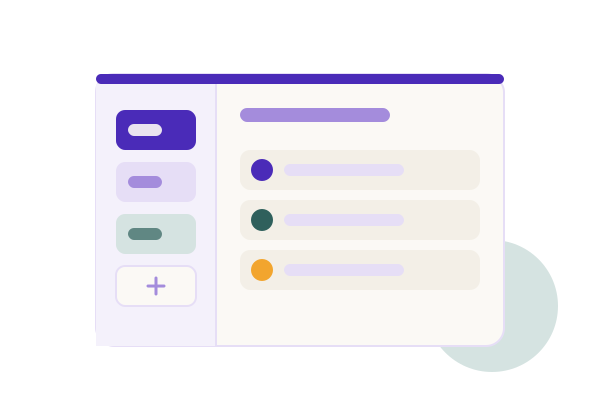
Agencies, enterprises, and media companies don't need a bigger podcast host. They need isolated workspaces, one per client or department, each with its own shows, its own team, and its own branding and analytics per show. Springcast's multi-workspace architecture was built for operators who manage more than one show.
Trusted by 200+ organizations managing 5-50+ shows on Springcast
Sound familiar?
The problems hiding inside your multi-show setup
12 shows, 12 logins, 12 invoices
Every show lives on a separate account, patched together with spreadsheets and sticky notes.
Create one or more shows in a workspace, and a separate workspace per client or department, all in one login and one invoice.
One client saw another's analytics
Creator-tier multi-show puts every client in one account with no real wall between them.
Workspaces are genuinely isolated, so each client sees only their own.
A freelancer needed one show, not all twelve
On most platforms, inviting someone into your account means they see everything in it.
Access is role- and show-based: an editor can work on exactly one show out of five.
Adding a show meant adding a contract
On single-show platforms, every extra podcast brings a new account, new billing, new admin.
Add a show to an existing workspace, or open a new workspace, inside the account you already have.
Billing is a spreadsheet every month
Finance gets 15 invoices from 3 platforms and reconciles costs per client by hand.
One invoice covers every workspace, and a client or department that needs its own gets a separate PO.
See it in practice
One cause runs through it all: tools built for a single show, stretched to handle many.
Springcast was designed multi-workspace-first.
What's inside
Built for operators managing more than one show
Workspace isolation
Each workspace is its own environment. Own shows, own team, own storage. No cross-contamination between clients or departments.
One account for everything
Switch between workspaces without separate logins or accounts. Every workspace, one place.
Role- and show-based access
One owner per workspace, plus editor, team member, finance and guest roles. Access can be scoped per show: an editor can see one show out of five.
White-label player per show
Every show gets its own branded player. Different colors, different logo per show. No Springcast branding.
App branding per workspace
Mobile app branding is set at workspace level, so each client or department keeps its own identity in the app.
Per-show analytics
Listens, retention, sources, geography and devices. A full dashboard per show, visible only to people with access to that show.
Centralized billing
One invoice for all workspaces. Need a split for a client or department? Specify a separate PO and we invoice it separately.
Per-show storage
Audio, artwork and files live in a file manager per show. Organized where they belong, isolated where they should be.
SSO/SAML per organization
Single sign-on for enterprise teams. Identity provider integration. No shared passwords across workspaces.
API access per workspace
REST API scoped per workspace. Automate publishing, pull analytics, integrate your stack, per show.
Workspace architecture
Each workspace is its own world. You hold the keys to all of them.
A workspace is not a folder with a different name on it. It is an isolated environment with its own shows, its own team, and its own storage. One workspace can hold a single show or a set of related shows for the same client or department, and every show inside it carries its own branding, player colors and logo.
You manage all of it from one account. Switching from one workspace to another takes a click, no separate logins, no logging out, and no risk of one client's content ending up in another's environment.
Every show set up deliberately. Each show is configured individually: feed, branding, player and team. No template magic, but full control over how every show looks and who can touch it.
One account, one invoice. Multi-workspace is part of the Business tier. Billing stays centralized: one invoice across your workspaces, unless a client or department needs its own PO, then we split it.
Migration. Existing shows on other platforms can be imported directly into a workspace. RSS redirect, metadata, episode catalog, and artwork are all preserved.
Illustrative, workspace architecture in Springcast.
Podcast agency onboarding
Create a workspace for the new client, set up their show with its own player branding, and invite the client scoped to their own shows. They see their episodes and their analytics, and nothing from your other clients.
University, one workspace per faculty
Each faculty manages its own podcasts independently. The university communications office is added to each workspace with a read-only role for reporting, without interfering with publishing.
✓ Multiple workspaces on the Business tier
✓ Branding and player colors per show
✓ Workspace-scoped API keys
✓ Per-workspace audit log
✓ Show migration into workspace (RSS import + 301 redirect)
Each show carries a full analytics dashboard of its own: listens, sources, geography, devices. And access follows your team structure, whoever can see the show, sees its numbers. Per show, for exactly the right people.
SpringcastShow analytics
Downloads per channelthis month
SpotifyAppleWeb playerApp
TrendRising
Per-show dashboard. Every show has its own complete analytics view.
30 people. 12 shows. Everyone sees exactly what they should.
Every workspace has one owner, with editor, team member, finance and guest roles around them, plus an optional publisher right for whoever may actually push changes live. Access can be scoped per show, so nothing bleeds across workspace or show boundaries. 30 people, 12 shows, everyone sees exactly what they should.
SpringcastTeam & permissions
Team membersInvite
Workspace owner
full access
Owner
Producer
episodes & publishing
Editor
Stakeholder
read-only analytics
Team member
Account4 workspaces
5 roles. Owner / Editor / Team member / Finance / Guest, each with an optional publisher right.
SSO/SAML. Azure AD, Okta, Google Workspace.
Auto-provisioning via IdP group mapping.
Per-workspace audit log, exportable.
Show-based access: grant someone one show out of five, not the whole workspace.
This comparison focuses on workspace and multi-show capabilities specifically. On raw episode hosting or audio quality, most platforms here are comparable. Where they diverge, sometimes sharply, is isolation, permissions, white-labeling, and pricing structure.
Feature
Springcast
Buzzsprout
Captivate
Transistor
Megaphone
Workspace isolation (per client/department)
Yes, full isolation
No, separate accounts
Limited
No, shared space
Yes, network model
Role-based access per workspace
Yes, 5 roles + per-show access
No
Limited, 2 roles
Limited, 2 roles
Yes, enterprise
White-label player (per show)
Yes, full, no badge
No, "Powered by"
Partial
Yes, clean
Limited
Multiple workspaces, one account
Yes, Business tier
N/A, separate accounts
Limited by plan
Unlimited, no isolation
Custom pricing
Centralized billing
Yes, split by PO on request
No
No
One invoice
Yes
SSO/SAML
Yes
No
No
No
Yes, enterprise
API scoped per workspace
Yes
No
No
Show-level
Yes
Per-workspace audit log
Yes
No
No
No
Yes, enterprise
Custom domain
Not yet
Yes
Yes
Yes
No
EU-hosted (data residency)
Yes, Netherlands
No, US
No, US
No, US
No, US
Pricing transparency
Public pricing
Public
Public
Public
Sales-only
Based on publicly available documentation, May 2026. Competitor capabilities change.
Where Transistor wins
Transistor is the right choice for small operators who want clean multi-show management without complexity. The interface is excellent and the per-show model works well for 2-5 shows. What it lacks is isolation between shows, which becomes important once you are managing client work or a real network.
Where Megaphone wins
Megaphone handles massive networks well. If you are distributing at Spotify-network scale, Megaphone's infrastructure is built for it. The trade-offs: US-hosted, sales-gated pricing, and no path to self-serve setup. For European organizations or operators who want to start without a sales conversation, that matters.
Where Springcast sits
Between those two points. More isolation and governance depth than Transistor, with transparent pricing and EU hosting that Megaphone does not offer.
Pricing
Multiple workspaces. One predictable invoice.
Multi-workspace is part of the Business tier. Billing stays centralized: one invoice across all your workspaces, and a separate PO per client or department whenever finance needs it. No surprise line items.
Creator plans
Essential (€9/mo), Professional (€19/mo), Scale (€49/mo). Best for solo creators and small teams. Multi-workspace governance is not included on creator tiers. 14 days free.
Business plans start at €195/month (annual billing, excl. VAT) for a single workspace. Multi-workspace, with role- and show-based access, white-label players per show, SSO/SAML and scoped API, is part of the top Business tier. One predictable invoice. 14 days free.
Multi-workspace is part of the top Business tier. You create a workspace per client, department or brand, all under one account and one invoice. Curious what that looks like for your setup? Request a demo and we walk you through the options and pricing.
Yes. Each workspace is fully isolated. A client invited with a guest or team member role sees only their workspace, their episodes, their analytics, their player. They cannot see other workspaces, other clients, or any organization-level data. You control the access level per person, per workspace, and even per show.
Centralized. One invoice covers all workspaces. Does a client or department need separate invoicing? Specify a different PO and we split the invoice. Annual and monthly billing. PO-friendly invoicing. Custom terms for enterprise deals.
Yes. Shows can be moved between workspaces within your organization. Episode catalog, metadata, analytics history, and RSS feed are preserved. Team assignments update to match the new workspace's permission structure.
White-labeling lives at show level: each show has its own player colors and logo, and on the Business tier no Springcast branding is visible to listeners. Mobile app branding is set per workspace. Custom domains are not available yet.
Yes, branding is per show by design. The embedded player and the public podcast page follow the show's identity. Twelve shows can have twelve completely different brand identities, all managed from one account, while workspaces keep clients and departments cleanly apart.
Yes. API keys are scoped per workspace. Each workspace has its own API credentials, its own webhook endpoints, and its own integration configuration. An agency can give a client's CMS API access to only that client's workspace, with no risk of cross-workspace data exposure. Full REST API documentation at our API page.
Real podcasters. Real results.
What Springcast looks like in practice
"As a storyteller and content maker, you want to work as seamlessly as possible. Springcast makes that easy — so you can focus on your real work: telling stories."
Publishing without technical hassle, so all the attention goes to the story.
Martijn Aslander · Storyteller & content maker
"Our podcasts are now far easier to find on Spotify — and they’re being listened to more as a result."
The move to Springcast PRO was clearly guided, with transparent communication at every step. The PRO environment is clear and easy to use.
Gemeente Utrecht · Government
"With Springcast PRO, all our employees can listen to our internal podcasts even more easily."
Thanks to the migration service, our existing podcasts were converted quickly, so we could go live right away.
Kindergarden · Internal communications
8 shows
average managed per account on Springcast multi-workspace, with a median workspace setup time of 7 minutes. (Demo data)